Battery Hold Down Strap Replacement
Removal Procedure
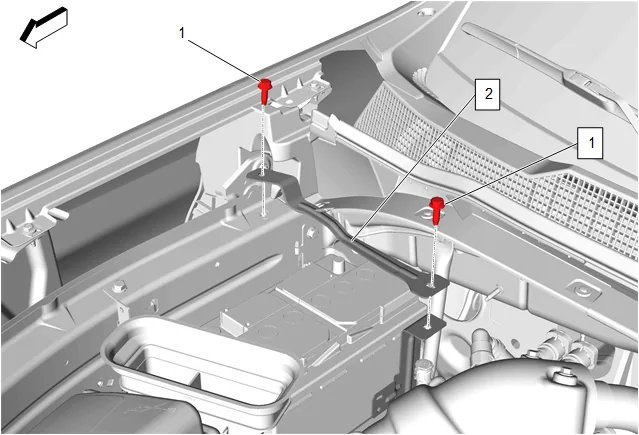
-
Battery Hold Down Strap Bolt (1) » Remove [2x]
-
Battery Hold Down Strap (2) » Remove Installation Procedure
-
Battery Hold Down Strap (2) » Install
-
If NEW threaded components are being installed, loosen the adhesive using a metal pick or similar tool before proceeding. If threaded components are reused, prepare the threaded components using the following steps: 2.1. Remove any loose cured adhesive from the external threads of the components using a lint free cloth. 2.2. Thread the cleaned components into the internal mating threads and remove to loosen trapped cured adhesive. 2.3. Apply thread locking adhesive to the external threads of the components. Adhesives, Fluids, Lubricants, and Sealers 2.4. Ensure there are no gaps in the thread locking adhesive once applied to the component.
- Battery Hold Down Strap Bolt (1) » Install and tighten [2x] — Fastener Specifications